
Babe, you've hardly touched your Synesthesia Visualizer
/ 4 min read
Table of Contents
My girlfriend has synesthesia - she sees colors when she reads or hears words. I’ll leave it to Pharrell to explain.
Pharrell: You see colors in your mind’s eye if you have the type of synesthesia that I have. My sysnesthesia is sound and sight. So when I see - when I hear music, I see colors. But it is not as rare as one would think. It’s not often discussed, but many people - many, many, many people - have various kinds of synesthesia.
Interviewer: And when you see colors, do you hear music?
Pharrell: No, I don’t.
In her mind, every letter has a color. And words become gradients that blend those colors together. When she first told me about it a few years ago, I did what any reasonable person would do: I tested her.
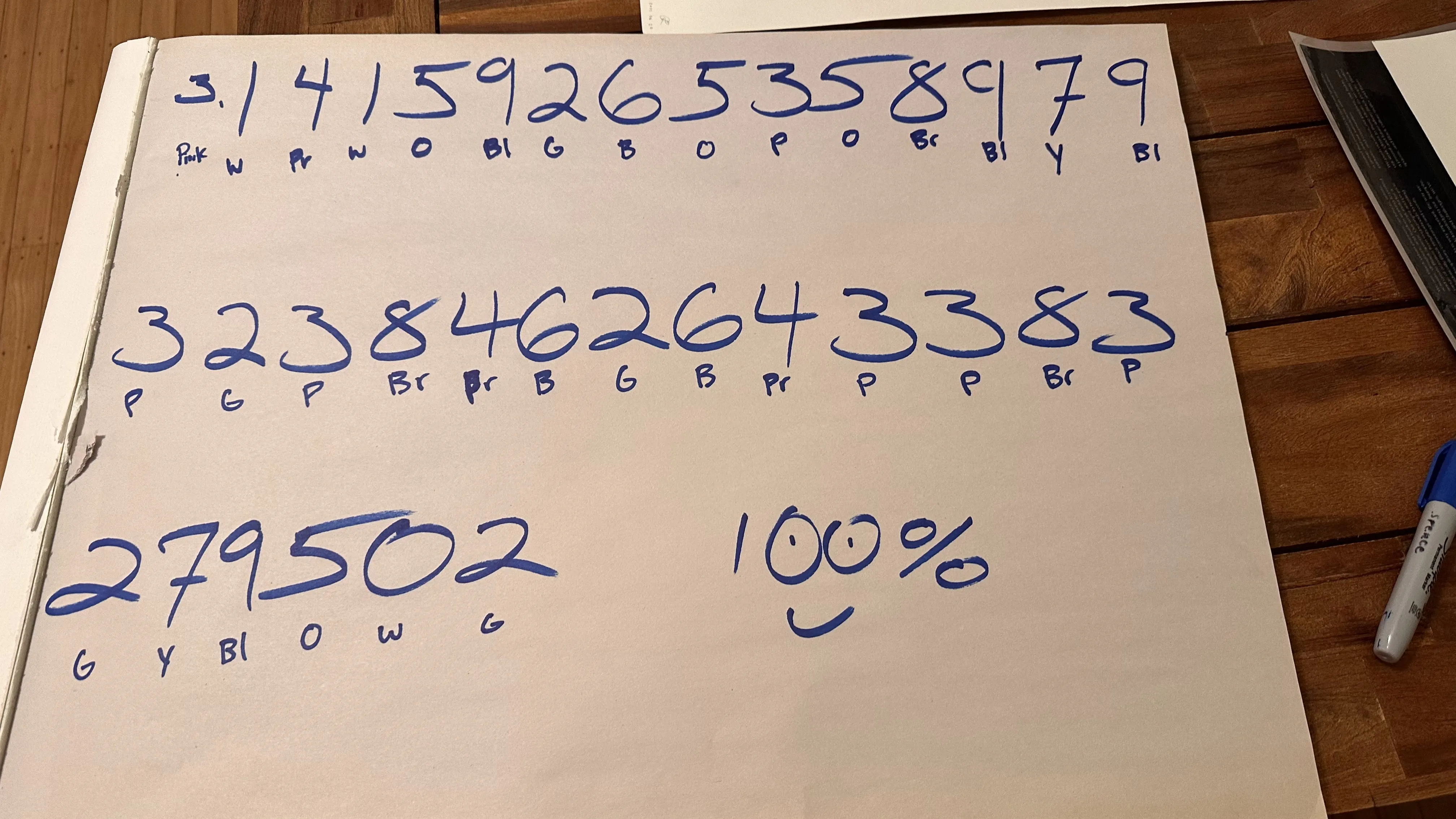
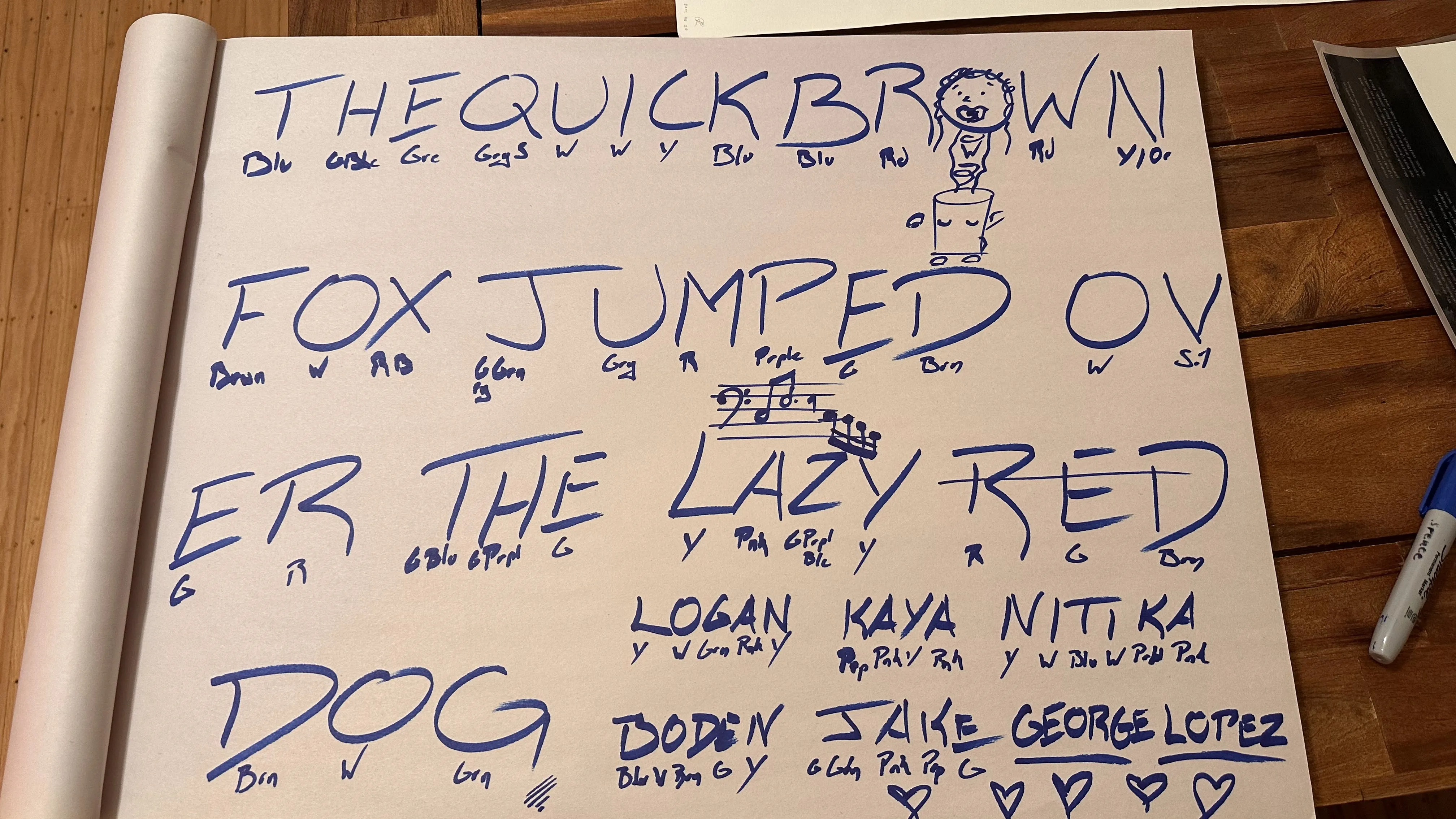
I asked her to assign a color to each letter and created a letter -> color key.
I then tested her over the course of the night and the next few days.
- “T?”, “Blue-ish grey”
- “E?”, “Green, obviously”
- “FOX?”, “Brown, White, Red-ish brown from the brown of the F bleeding over”
She scored 100% in-line with the key every time.
I took a photo of the key and held onto it, figuring it would be useful someday.
The App
This Valentine’s Day, I built Synesthesia Visualizer so I could finally see what she sees. You type a word or phrase, and the app renders the color gradient that her brain generates.
The core of it is simple: look up each character’s color from the profile, then render a gradient.
Features
Beyond the basic visualizer, I added a few things to make it more useful:
- Gradient rendering - words display as smooth color blends based on each letter’s assigned color
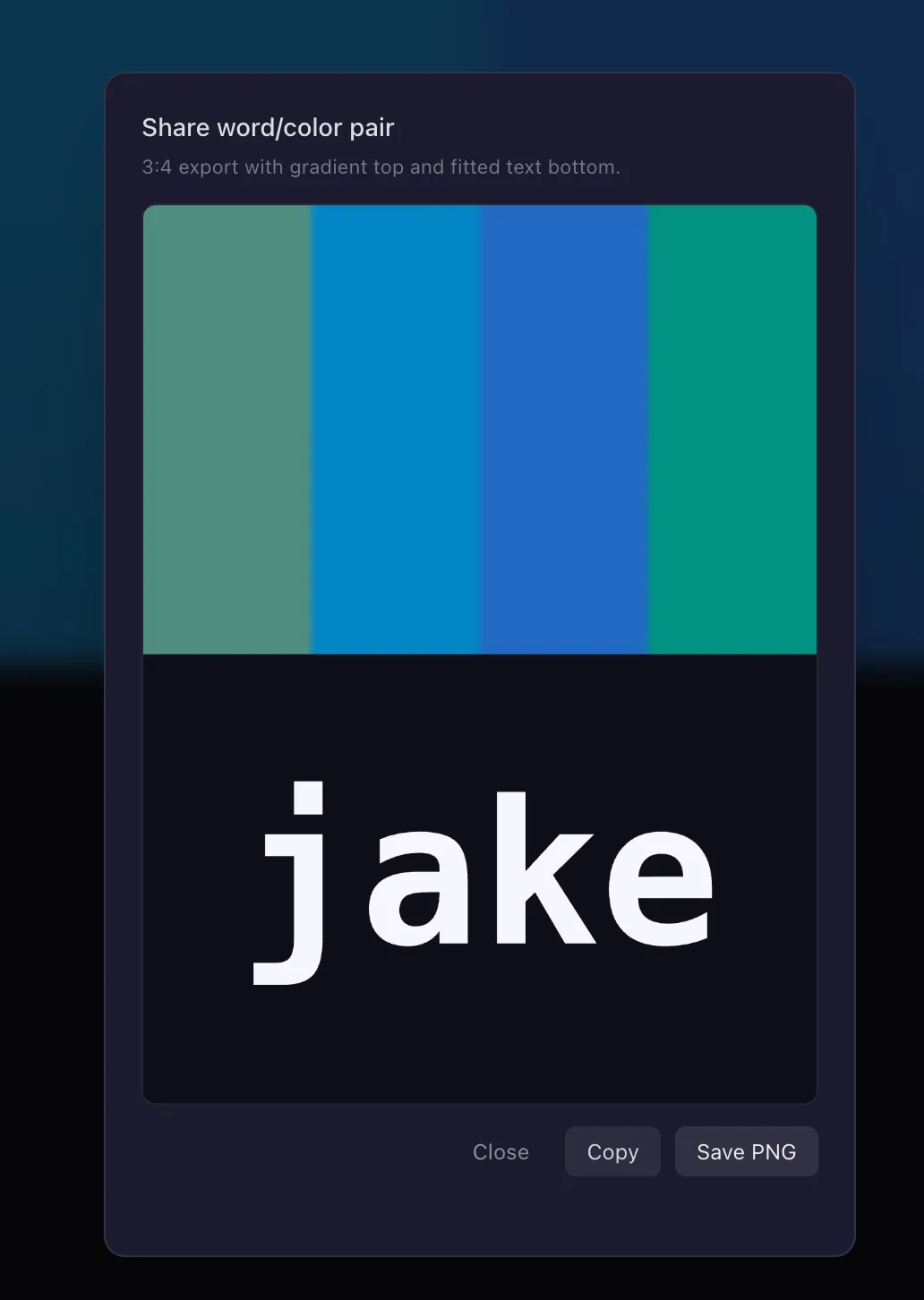
- Shareable links - generate a share dialogue so you can send someone a word rendered in your color profile
- Import/export color profiles - synesthesia is unique to each person, so anyone can create and load their own letter-to-color mappings
That last feature is the one I’m most glad I included. Synesthesia varies wildly between people - my girlfriend’s “A” might be red while someone else’s is green. The import/export system means anyone with synesthesia can map their own alphabet and use the tool.
Try It
The app is live at synesthesia.sch.xyz. If you or someone you know has synesthesia, load up a custom color profile, see how your words look, and share away.
Update
Here’s what my first pass at the site looked like. I thought, “it’s simple. type letters, see colors. the colors are the focus.”
But I wasn’t happy with the layout, so when Claude released their Design tool, I decided this would be a great use case.
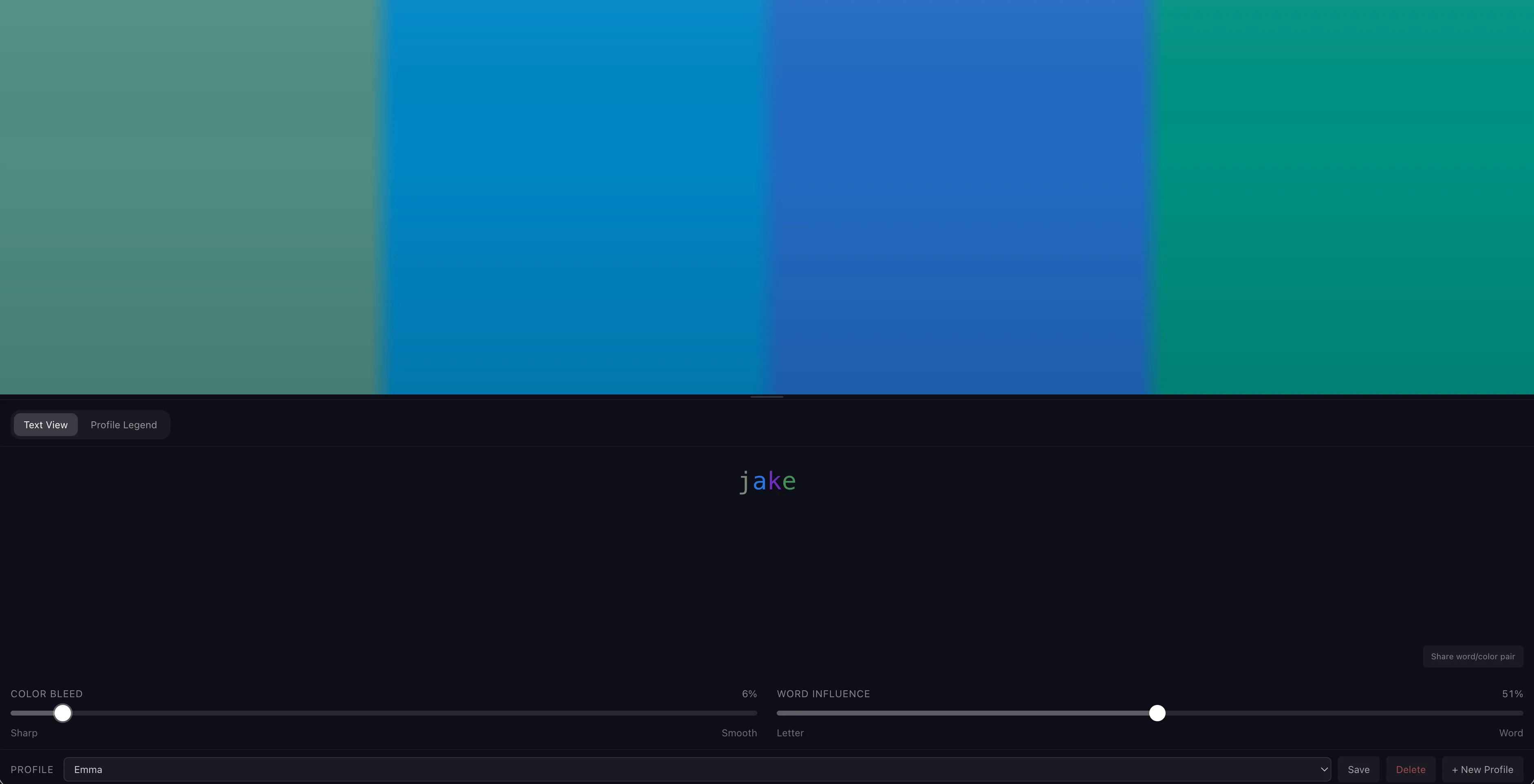
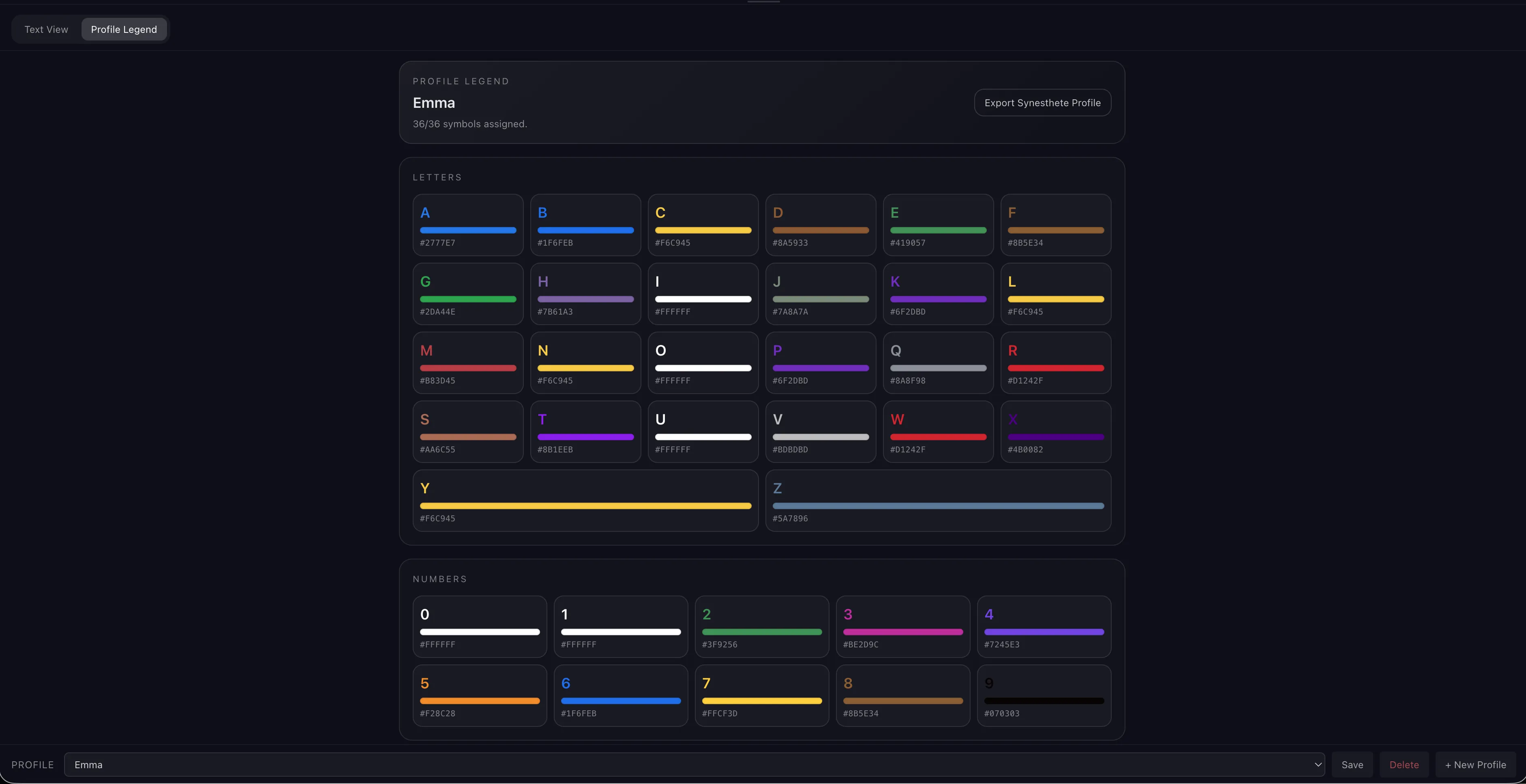
She loves maps, so I wanted to go with an Atlas style theme. It produced a great, incredibly stylized first pass. That I had to refine immensely. The em-dashes were abundant, there were weird unnecessary symbols, and after refining the design and sending it over to Claude Code for implementation, quite a few of the brainstorming elements carried over (multiple versions of components despite asking for a specific implementation).
All in all, I’m much happier with the final product. There’s a flow to the page from top-to-bottom. You start typing a word, see colors, can refine the gradient-ness, adjust individual colors, and get a sense of the whole letter/number palette.
Profiles can be tweaked at the top, words and profiles can be shared, and loaded in via the profiles menu.
If you know someone with synesthesia, forward it over, ask them to create a profile, and share it back with you.
Give it a try -> https://synesthesia.sch.xyz